> ## Documentation Index
> Fetch the complete documentation index at: https://subframe-59800133-apg-edit-updates.mintlify.site/llms.txt
> Use this file to discover all available pages before exploring further.
# Exporting theme
> View your generated Tailwind config and sync theme changes to your codebase.
Your theme generates a Tailwind CSS configuration that your codebase uses for styling. You can view the generated config at any time and sync changes with the CLI.
## View Tailwind config
Click **Export** in the sidebar to view the generated Tailwind configuration for your theme. The dialog has two tabs:
* **Tailwind CSS v3** — Shows a `tailwind.config.js` file with your tokens as a JavaScript module
* **Tailwind CSS v4** — Shows a `theme.css` file with your tokens as CSS variables inside a `@theme` block
Click **Copy to clipboard** to copy either format.
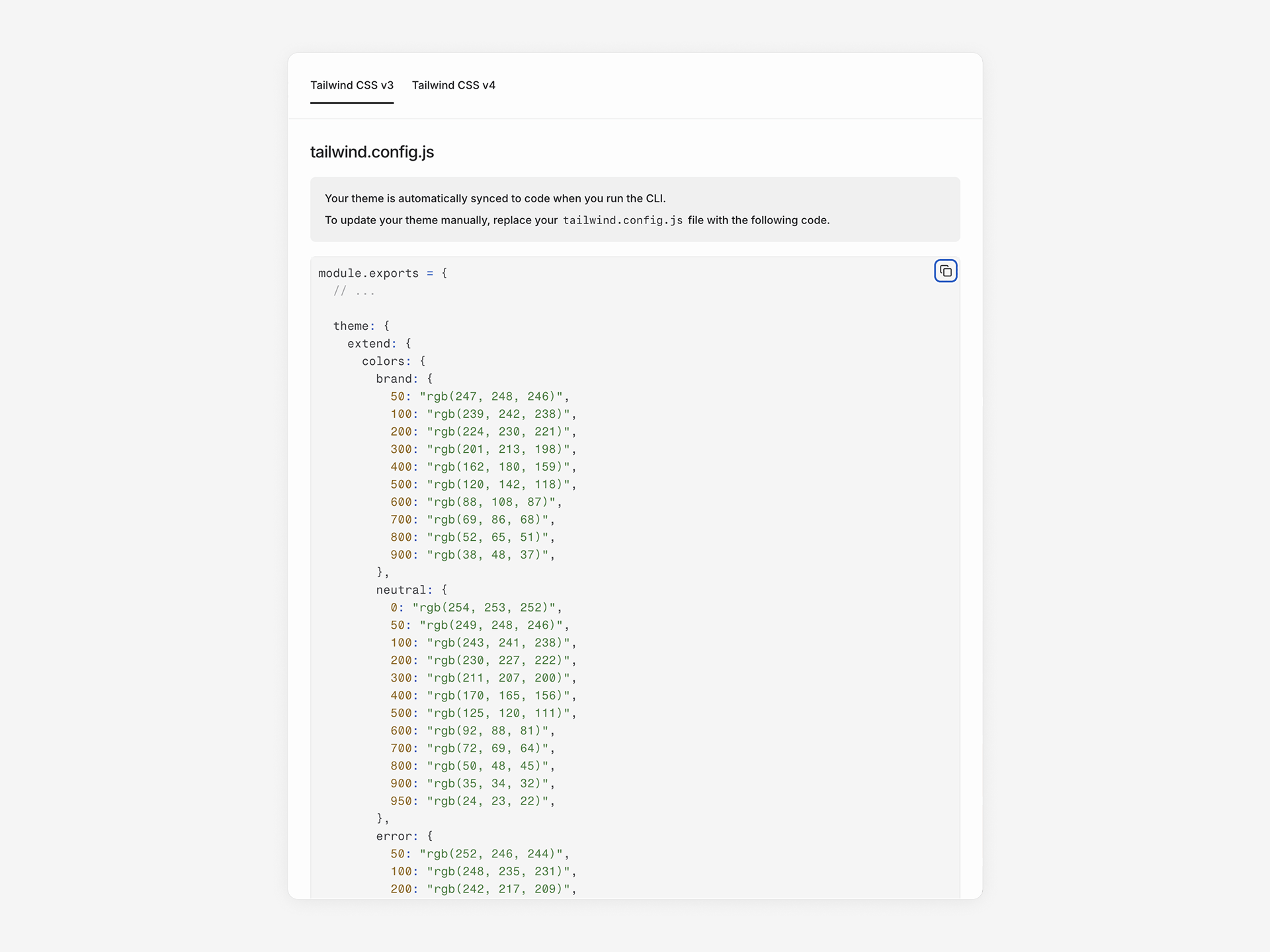 The generated config includes colors, font sizes, font families, box shadows, border radius, container settings, and responsive breakpoints.
When [dark mode](/guides/dark-mode) is enabled, the export includes additional dark mode overrides:
* **Tailwind v3** — An additional `theme.css` file with `:root` and `.dark` CSS variable blocks, and `darkMode: 'selector'` in the config
* **Tailwind v4** — A `.dark` block and `@custom-variant dark` declaration in the `theme.css` file
## Sync to code
Run the CLI to sync your theme and components to your codebase:
```bash npm theme={null}
npx @subframe/cli@latest sync --all
```
```bash yarn theme={null}
yarn dlx @subframe/cli@latest sync --all
```
```bash pnpm theme={null}
pnpx @subframe/cli@latest sync --all
```
```bash bun theme={null}
bunx @subframe/cli@latest sync --all
```
This updates your local Tailwind config with new token values. Components automatically use the updated theme.
See [Installation](/installation) for CLI setup instructions.
The generated config includes colors, font sizes, font families, box shadows, border radius, container settings, and responsive breakpoints.
When [dark mode](/guides/dark-mode) is enabled, the export includes additional dark mode overrides:
* **Tailwind v3** — An additional `theme.css` file with `:root` and `.dark` CSS variable blocks, and `darkMode: 'selector'` in the config
* **Tailwind v4** — A `.dark` block and `@custom-variant dark` declaration in the `theme.css` file
## Sync to code
Run the CLI to sync your theme and components to your codebase:
```bash npm theme={null}
npx @subframe/cli@latest sync --all
```
```bash yarn theme={null}
yarn dlx @subframe/cli@latest sync --all
```
```bash pnpm theme={null}
pnpx @subframe/cli@latest sync --all
```
```bash bun theme={null}
bunx @subframe/cli@latest sync --all
```
This updates your local Tailwind config with new token values. Components automatically use the updated theme.
See [Installation](/installation) for CLI setup instructions.