> ## Documentation Index
> Fetch the complete documentation index at: https://subframe-59800133-apg-edit-updates.mintlify.site/llms.txt
> Use this file to discover all available pages before exploring further.
# Subcomponents
> Child components scoped to a parent component.
Subcomponents are child components scoped to a parent (also known as compound components). Use them to group related components together. In code, they are represented as properties of the parent component.
```tsx theme={null}
Title
Content goes here
Actions
```
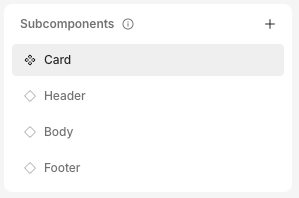
In this example, `Card` is the parent component. `Header`, `Body`, and `Footer` are subcomponents.
## Creating subcomponents
 1. Open your parent component
2. In the left panel, click on **Subcomponents** > to create a new subcomponent
1. Open your parent component
2. In the left panel, click on **Subcomponents** > to create a new subcomponent